


All Bills.
One App.
No Hassle.

From electricity to internet, pay for all your bills through a single app with a fast and convenient process.

Why Choose Easybiller?

EasyBiller is here to help you pay for your daily expenses more conveniently. No need to switch between apps—just use Easylink to manage your bill payments easily, quickly, and securely.

Save More

Manage your various bills with lower, more transparent monthly fees.

Money Back Guaranted

Transaction failed? Your funds are still safe and will be reprocessed in accordance with applicable terms and conditions.

Trusted by Thousands of Users

EasyBiller has helped thousands of Easylink users pay various bills more conveniently.

Pay All Your Bills in One App

From cell phone credit, data plans, electricity, water, internet, BPJS, property tax, insurance, to multi-finance payments—you can pay for all of them directly on Easylink.

Fast & Hassle-Free

Select the bill type, check the amount, and then pay in a few easy steps—no need to wait in line or switch apps.

24/7 Customer Service

Having trouble with a transaction? Easylink Customer Service is here to help 24/7.

Category: Biller

How to Pay Bills with Easybiller

check-bill-payment

1

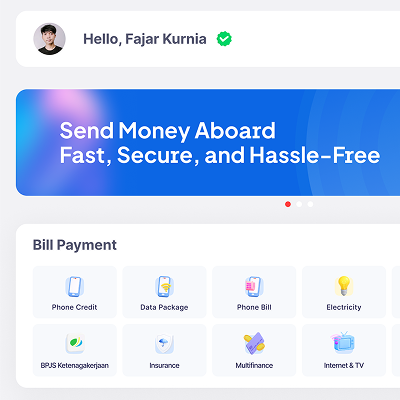
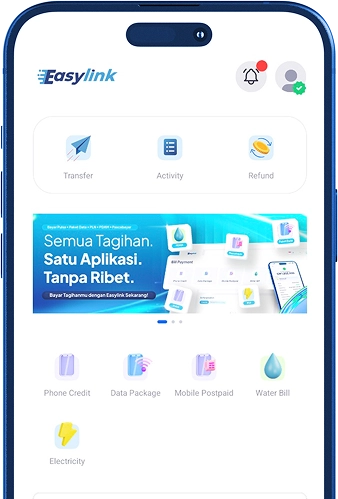
Find Bill Payment Services

Open the app's home screen, then select the type of transaction you need in the Bill Payment section.

enter-phone-number-for-bill-payment

2

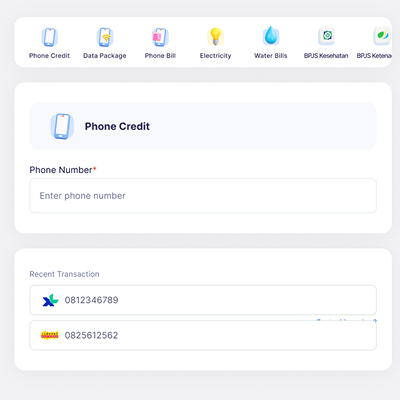
Enter your cell phone number

Enter the phone number you want to top up, or select it directly from your list of recent transactions.

Select a credit amount

3

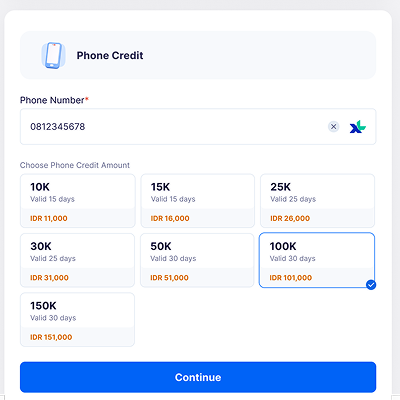
Select a Credit Amount

Select the amount of credit you need, then click the button Continue.

recipient

4

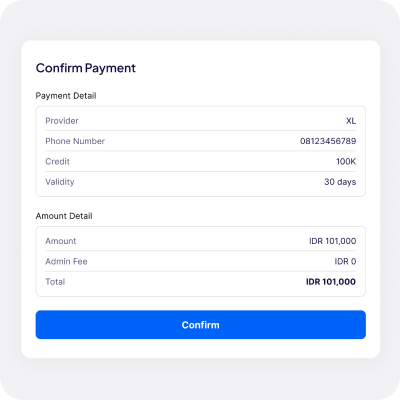
Payment Confirmation

Double-check your cell phone number and billing details. If all the information is correct, click Confirm.

payment-methods

5

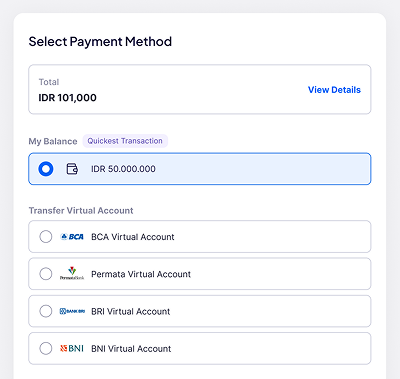
Select a Payment Method

Select your preferred payment method; you can use your account balance or a Virtual Account.

purchase-successful

6

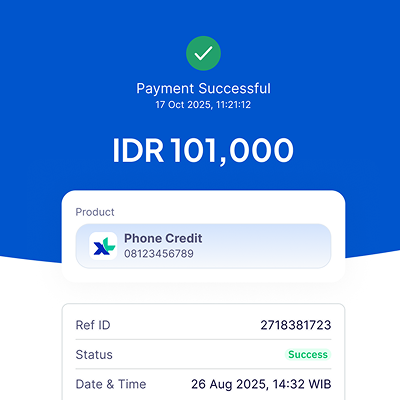
Purchase Successful

Your transaction has been processed. An automatic digital receipt has been saved as valid proof of payment.

EasyBiller FAQ

EasyBiller is a bill payment feature in the Easylink app that makes it easy for you to pay for various daily expenses all in one app.

You can pay for phone credit, data plans, electricity, PDAM water bills, internet and TV, BPJS, property tax (PBB), insurance, multifinance loans, credit cards, and other bills available on the app.

Simply open the Easylink app or website, select the EasyBiller or Bill Payment menu, choose the bill type, enter the required information, review the payment details, and then complete the transaction.

Yes, you can. Before the transaction is processed, you can view the billing details, payment amount, administrative fees, and other information to ensure the payment is clear and transparent.

Administrative fees may vary depending on the type of bill and the service provider. Fee information will be displayed before you complete the transaction.

Yes, payments made through EasyBiller are processed via the Easylink system, which is designed to ensure the security and convenience of user transactions.

Yes, you can make payments through EasyBiller at any time via the Easylink app or website. However, certain billing services may follow the processing schedules set by their respective billing providers.

If the payment was successful but your bill hasn't been updated yet, you can wait for the service provider to complete the synchronization process. If you're still experiencing issues, contact Easylink Customer Service for further assistance.

Yes, you can. You can check your transaction status in real time on the Easylink app or website, and you can view your payment history at any time.

If the transaction fails, your funds will remain secure and a refund will be processed (refund) in accordance with applicable regulations. You can also contact Easylink Customer Service for assistance in checking your transaction status.

Sign up now and start making transactions with Easylink!

Easylink App Interface
Easylink Transaction Notifications